

How the ASO Tools Work Together
The App Niche Analysis Tool helps you define the market and identify relevant competitors. The ASO Keyword Research Tool then uses those apps to uncover keyword opportunities and build a structured keyword map.Once the research is complete, the Metadata Optimization Tool helps convert the keyword map into an App Store title, subtitle, and keyword field.The App Visibility Viewer and App Rating Simulator support ongoing ASO analysis. The visibility tool shows where an app appears outside search results. The rating simulator helps you understand how new ratings, negative events, or review-generation changes could affect the displayed score.Together, the tools cover several important parts of App store strategy: market research, competitor analysis, keyword research, metadata optimization, app visibility, and rating management.
App Visibility Viewer
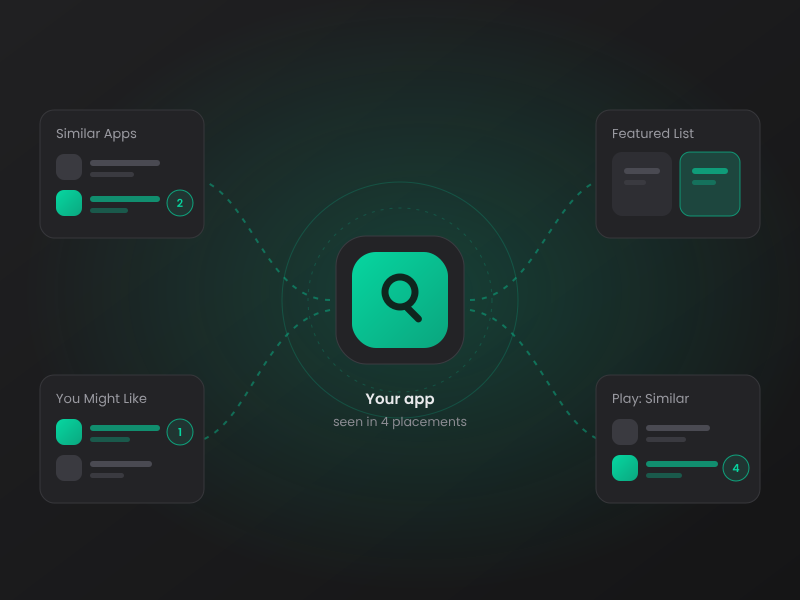
The App Visibility Viewer shows where an app appears across important discovery and recommendation placements. These include Apple’s You Might Also Like section, Google Play’s Similar Apps, and Apple App Store featured lists.Search using an app title, store URL, app ID, or Google Play package name. The tool identifies the source apps where your listing appears, its placement rank, and when the placement was last observed.This helps you understand app visibility beyond search rankings. You can identify which apps expose users to your listing, examine your position within relevant app groups, and compare your visibility with leading apps in your category.
ASO Keyword Research Tool

The ASO Keyword Research Tool provides a structured process for researching keywords in the US iOS App Store. You can start with an existing app or begin by exploring a specific niche.The tool finds competitors, similar apps, and apps that successfully rank for selected keywords. It extracts terms from app titles and subtitles and adds related Apple popular search terms. You can then review, filter, and select the keywords that are relevant to your app.The final output includes a downloadable keyword map, keyword frequency analysis, Apple Search Ads popularity data, branding checks, and a competitive landscape comparison.
Metadata Optimization Tool
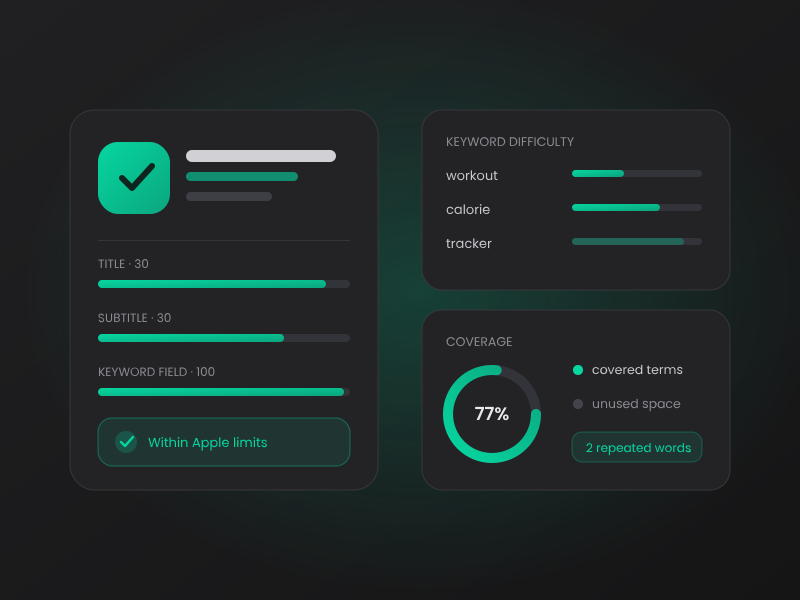
The Metadata Optimization Tool helps turn completed keyword research into optimized iOS metadata. You can load a keyword map directly from the ASO Keyword Research Tool or paste data from Google Sheets, Excel, Numbers, or a CSV file.Select the keywords you want to target and run a difficulty analysis. The tool compares factors such as competition, app ratings, review volume, and title optimization.You can then build your App Store title, subtitle, and keyword field while staying within Apple’s character limits. The tool measures keyword coverage, identifies repeated words, and suggests terms that can improve the use of your available metadata space.
App Rating Simulator
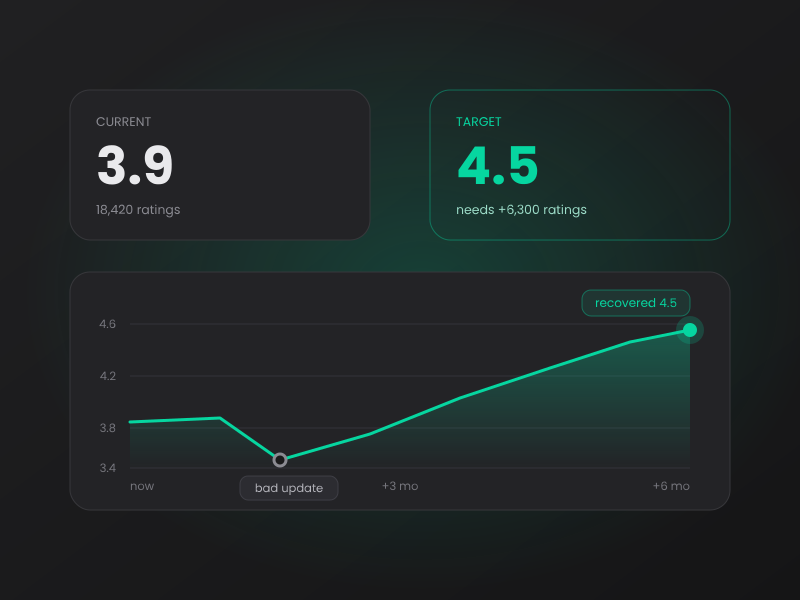
The App Rating Simulator calculates what it could take to change the displayed rating of an iOS or Google Play app. Enter an app URL, Apple ID, or Google Play package name to load its current rating information.Choose the displayed rating you want to reach and set the expected average of future ratings. The simulator estimates how many additional ratings are required and how long the change could take based on your rating pace.The stress test can also simulate a bad update, store issue, review-prompt failure, or other negative event. It estimates the rating drop and the number of ratings or days needed to recover.
App Niche Analysis Tool
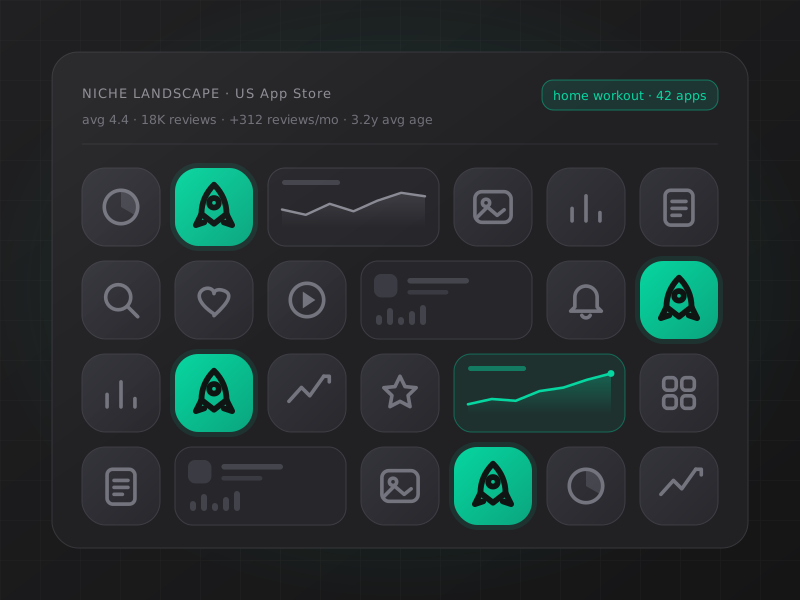
The App Niche Analysis Tool helps developers explore potential niches in the US iOS App Store and understand the apps they would compete against.Browse popular niches, search across App Store categories, and select relevant app groups. The tool then creates a competitive landscape using metrics such as average rating, total reviews, review velocity, app age, file size, screenshot count, and preview video usage.This can help validate an app idea, define the correct competitor set, and estimate how established a niche is. Selected competitors can also be used to begin keyword research and create a final keyword map for metadata optimization.
App Store Optimization requires more than changing keywords or redesigning screenshots. App developers need to understand where their app appears, which keywords competitors target, how difficult a niche is, and what could affect conversion.
Topanda’s ASO tools support different parts of this process. They help app developers and mobile marketers research markets, identify keyword opportunities, build metadata, analyze recommendation visibility, and understand changes in app ratings.
The tools can be used separately. Several of them also work together as one research process. You can begin with a niche, identify relevant apps, build a keyword map, and use that map to create optimized App Store metadata.